


Thermometer++ Room Temperature
4.41.87K Reviews
App Specs
- Version
- 6.9.4
- Updated On
- License
- Free
- Downloads
- 10,000,000+
- Developer
- Singulario Apps
- Categories
- Weather
- Platform
- Android, iOS
Screenshots
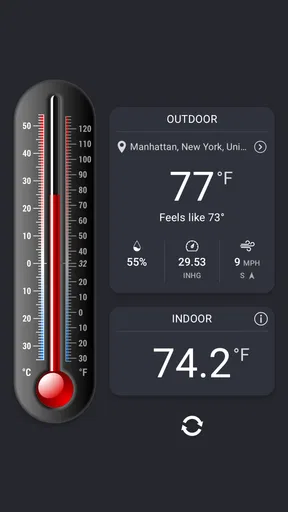
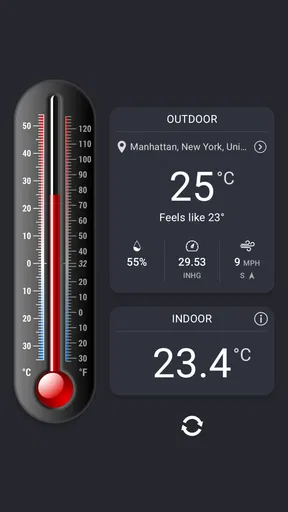

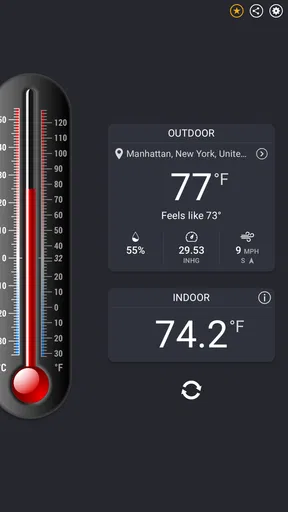
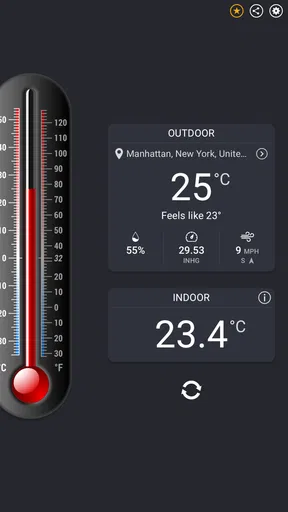

 Analysis by AppCompare
When I’m trying to decide whether a room needs airing, warming, or simply a change of routine, a quick temperature check can be more useful than guessing. Thermometer++ Room Temperature is a weather app from Singulario Apps that puts indoor and outdoor temperature readings alongside humidity, pressure, and wind information. It is free to install, with optional in-app purchases, and its straightforward approach makes it worth considering if you want a handy reference on your phone rather than a dedicated display in every room.
Choosing the right kind of temperature check
Before installing any thermometer app, I’d ask what I actually need to know. If I want to compare conditions around the home, check the weather before leaving, or keep an eye on how a room changes during the day, an app is convenient. If I need a dependable reading for a medical, food-safety, or equipment decision, I would use a purpose-built thermometer instead. A phone is useful for everyday awareness, but it should not replace a measuring instrument when precision has real consequences.
That distinction matters especially with indoor readings. Phones differ in their sensors, and the temperature of the device can be affected by charging, recent use, a warm hand, or a sunny windowsill. I treat a reading as most useful when the phone has been resting in the room and I’m looking for a practical sense of the conditions, not a laboratory result. The app’s value is in making that check easy, while good judgement still comes from how and where I take it.
Where it earns a place on my phone
Thermometer++ suits people who like a quick environmental snapshot without carrying another gadget. Its focus is not limited to one temperature number: the combination of temperature with humidity, pressure, and wind can help me interpret what I’m feeling outside or in a space. For example, a warm room with high humidity may feel more uncomfortable than the temperature alone suggests. The extra context is useful as a prompt to investigate, even though the app cannot tell me why a room feels that way.
I also like the idea of using one tool for small routine checks rather than opening a full weather service every time. If I’m deciding whether to take a light layer on a short errand, or whether a stuffy room might benefit from ventilation, a quick glance is enough to guide the next step. The app is a better fit for these informal decisions than for people who want a detailed forecast discussion, severe-weather guidance, or a broader planning dashboard.
A reading is only as useful as the setup
For indoor checks, I’d set the phone down in the room and give it time to settle before relying on the displayed value. I would avoid holding it while taking the reading, placing it next to a heater, or leaving it in direct sunlight. These are simple steps, but they make the result more representative of the room rather than the phone’s recent activity. If readings seem surprising, repeating the check after the device has rested is more sensible than immediately assuming the room changed.
A useful habit is to compare rooms under similar conditions: put the phone in one location, let it settle, then repeat elsewhere after the same kind of pause. That can reveal a relative difference, such as one room feeling consistently warmer, without pretending the phone is a calibrated home sensor. I would also keep the phone’s position consistent if I’m watching changes over time. Moving it from a shelf to a drafty doorway can explain a shift that has little to do with the room as a whole.
Worth Reading Before You Choose

Flipboard Shows What News Apps Must Do Beyond the Feed

Switching to Android Auto Means Rethinking Your Driving Routine

Google Calendar Makes a Crowded Week Easier to Manage

Ludo King Makes the Most of the Minutes Between Plans

Baby Panda World Brings Quick Play to Modern Phones, but Its Game Library Feels Busy

ESPN’s Live Game View Makes Following Close Games Easier
How it compares with the usual alternatives
Compared with a dedicated indoor thermometer, this app is easier to access because the phone is usually already with me, and it can bring several environmental readings together. A separate thermometer is the better choice if I need a fixed spot, a display that can be checked without opening an app, or confidence from a device designed specifically for measuring a room. The trade-off is convenience versus purpose-built measurement, not that one option is always better.
Compared with general weather apps, Thermometer++ has a more direct thermometer identity. A broad forecast app may be preferable when I need hourly rain chances, future conditions, or travel planning; this one makes more sense when I want a quick look at temperature and related environmental context. I wouldn’t install it expecting it to replace every weather tool. I’d keep it for the particular checks where a thermometer-style view is more useful than a forecast-heavy screen.
Small habits that make it more useful
One non-obvious way I’d use it is to establish a rough baseline rather than reacting to a single reading. Checking the same room at similar times over several days can help me notice a recurring pattern, such as a room warming up in the afternoon. That observation can guide practical next steps, like checking whether blinds are open or whether air is circulating, without treating the app as a diagnosis of the cause.
For outdoor checks, I’d take the phone out of a pocket and let it adjust before judging the air. A device warmed by a coat or cooled by an air-conditioned car can give a misleading first impression. This makes the app most useful when I have a moment to pause, not when I need an instant, authoritative outdoor measurement while rushing out the door.
Another sensible use is to compare the reading with how the space feels, rather than letting a number dictate comfort. If the app suggests a room is comfortable but I still feel cold, clothing, drafts, and humidity may matter more than a small difference in temperature. I see the display as a useful reference for a conversation with myself—“is this room warmer than the hall?”—not as a universal comfort verdict.
Who should choose something else
I’d skip this app if my main goal were a robust forecast, alerts, or detailed planning for changing weather. A dedicated forecasting service is the more natural choice for deciding whether a long journey needs a rain plan. I’d also choose a separate thermometer for monitoring a nursery, greenhouse, wine storage, or any other setting where a precise, stable measurement is important. In those cases, the right tool is one designed to stay in place and measure that specific environment.
There is also a practical limitation to phone-based readings: not every phone handles temperature sensing in the same way, and a phone can heat up during use. That means I would not compare a reading from one device with another as if they were guaranteed to match. If the app is being used for casual awareness, this is a manageable caveat. If exact consistency is essential, it is a reason to buy a dedicated instrument.
What to expect before installing
The app has been available since May 9, 2012, and its current version is 6.9.2. It is rated for Everyone and requires Android 8.0 or later. The Android listing shows an average rating of 4.4 from around 229,000 ratings, with about 1,800 written reviews, and more than 10 million installs. Those figures suggest it has found a substantial audience, but I’d still judge it by whether its thermometer-focused approach matches my own needs.
It is free to download, with optional purchases priced from $0.99 to $5.49 per item. I’d start with the free version and see whether its basic checks fit into my routine before spending anything. That keeps the decision simple: if I only need an occasional glance, there may be no reason to pay; if I find myself using it regularly, I can decide whether the available extras are worthwhile to me.
Everyday use without overtrusting the number
Picture a typical morning: I’m getting ready for work, the room feels stuffy, and I’m unsure whether opening a window will help. I can set my phone down away from the window and heating source, let it settle, and check the indoor conditions. I might then compare that with the outdoor reading before deciding whether to air the room. The app helps turn a vague impression into a more informed choice, but I’d still consider traffic, noise, and the weather before leaving a window open.
That kind of small decision is where I think a phone thermometer earns its keep. It offers a quick reference without demanding a complicated setup or a separate device. The best results come from using the same placement and allowing the phone to acclimate, especially when comparing readings. If I want a reliable long-term record for a particular room, I’d look for a dedicated monitor instead of assuming a phone app can provide that role.
First impressions
Right off the bat, Thermometer++ Room Temperature strikes you with its simplicity. The app is designed to do one thing and do it well: measure the temperature. And honestly, it delivers. The interface is clean and user-friendly, which means you won’t be wasting time trying to figure out how to use it. You just open the app, and boom, there’s your room’s temperature displayed right in front of you.
How it works
Now, you might be wondering, "How does this app even know the temperature in my room?" Good question! The app uses the sensors on your smartphone to provide an ambient temperature reading. For the most useful result, leave your phone idle for a few minutes so it can adjust to the room without interference from factors like your body heat.
As for accuracy, I did a little test by comparing the readings with an actual room thermometer, and the results were surprisingly close. So, you can trust this app to give you a pretty good estimate.
Features to love
One of the coolest features is its ability to switch between Celsius and Fahrenheit with just a tap. This is super convenient for those moments when you’re dealing with people from different parts of the world and need to convert temperatures quickly. Another neat aspect is the app's graphical representation of temperature trends over time, helping you keep track of fluctuations in your environment.
There's also an option to share your findings directly from the app. So, if you ever feel the need to brag about your perfectly air-conditioned room, you can do so with just a few taps.
Design and usability
I mentioned it before, but it bears repeating: the design is beautifully straightforward. There are no unnecessary bells and whistles. This app is all about functionality. It starts quickly, and the readings are updated in real time, which is perfect for people like me who are always in a hurry.
The app also doesn’t hog a lot of resources, so it won’t slow down your phone or drain your battery quickly. It’s clear that the developers focused on making this app as efficient as possible.
Getting the app
Downloading the app is a breeze. It’s available on both Android and iOS, and the installation process is as straightforward as it gets. You just hop onto your app store of choice, search for it, and within seconds, you’re ready to explore the temperature mysteries of your home.
My recommendation
So, what's the final verdict? If you’re someone who loves knowing the little details about your surroundings or just needs a quick way to measure room temperature, Thermometer++ Room Temperature is worth a download. It’s simple, effective, and does exactly what it promises. Plus, it’s free, so you can try it without paying upfront.
In a world where apps can sometimes feel overly complicated, it’s refreshing to find something that sticks to the basics and delivers on its promises. Trust me, once you have it, you’ll wonder how you ever lived without this little temperature-checking tool in your pocket.
Pros
- Accurate indoor temperature readings.
- Simple
- user-friendly interface.
- Quick setup with no extra permissions.
- Works offline for convenience.
- Supports both Celsius and Fahrenheit.
Cons
- Ads can be intrusive at times.
- Limited to room temperature only.
- No historical temperature tracking.
- Lacks customization options.
- Occasional calibration needed.
FAQs for Thermometer++ Room Temperature
How accurate is Thermometer++ Room Temperature?
Thermometer++ Room Temperature provides a reliable estimation of indoor temperatures by using your device’s built-in sensors. However, accuracy can vary depending on the quality of your device’s sensors and external factors like device placement. For optimal results, ensure your device is not in direct sunlight or near heat sources.
Does Thermometer++ Room Temperature require an internet connection?
Thermometer++ Room Temperature can function without an internet connection for basic temperature readings. However, an internet connection may be necessary for additional features like weather forecasts or location-based data, which enhance the app’s functionality and user experience.
Is Thermometer++ Room Temperature free to use?
The app offers a free version with essential features. However, it may include ads to support its development. For an ad-free experience or additional features, a premium version might be available through in-app purchases. Check the app store for details on pricing and offerings.
What devices are compatible with Thermometer++ Room Temperature?
Thermometer++ Room Temperature is compatible with most Android and iOS devices equipped with the necessary sensors. Ensure your device has up-to-date software to support the app’s features. Compatibility details can be found on the app's download page in the app store.
How can I ensure accurate readings with Thermometer++ Room Temperature?
To obtain the most accurate readings, place your device in a central location away from direct sunlight, heat sources, or drafts. Regularly calibrate the app if it offers a calibration feature, and keep your device’s sensors clean and unobstructed for optimal performance.


